Travel Expense Reporting Modernization
Replacing email-and-Excel travel expense reporting with a modern desktop and mobile application, giving a government contractor full visibility from requested to approved and closed.
THE CHALLENGE
Outdated, Manual Travel Expense Tracking
A government-contracted company reached out to us because their travel expense reporting process had outgrown its tools. Everything was running through Excel spreadsheets and email threads with no true system of record.
They were dealing with issues like:
- No central place to see all open and closed expense reports
- Expense details scattered across email attachments and multiple files
- Version control problems and manual follow-ups to see what was approved
- Limited visibility for managers and compliance teams reporting to the government
They needed a reliable, trackable way for employees to submit expenses from the road, and for the business to manage approvals and status updates in a single, consistent system.
OUR SOLUTION
A Desktop and Mobile Application Built for Travel Expenses
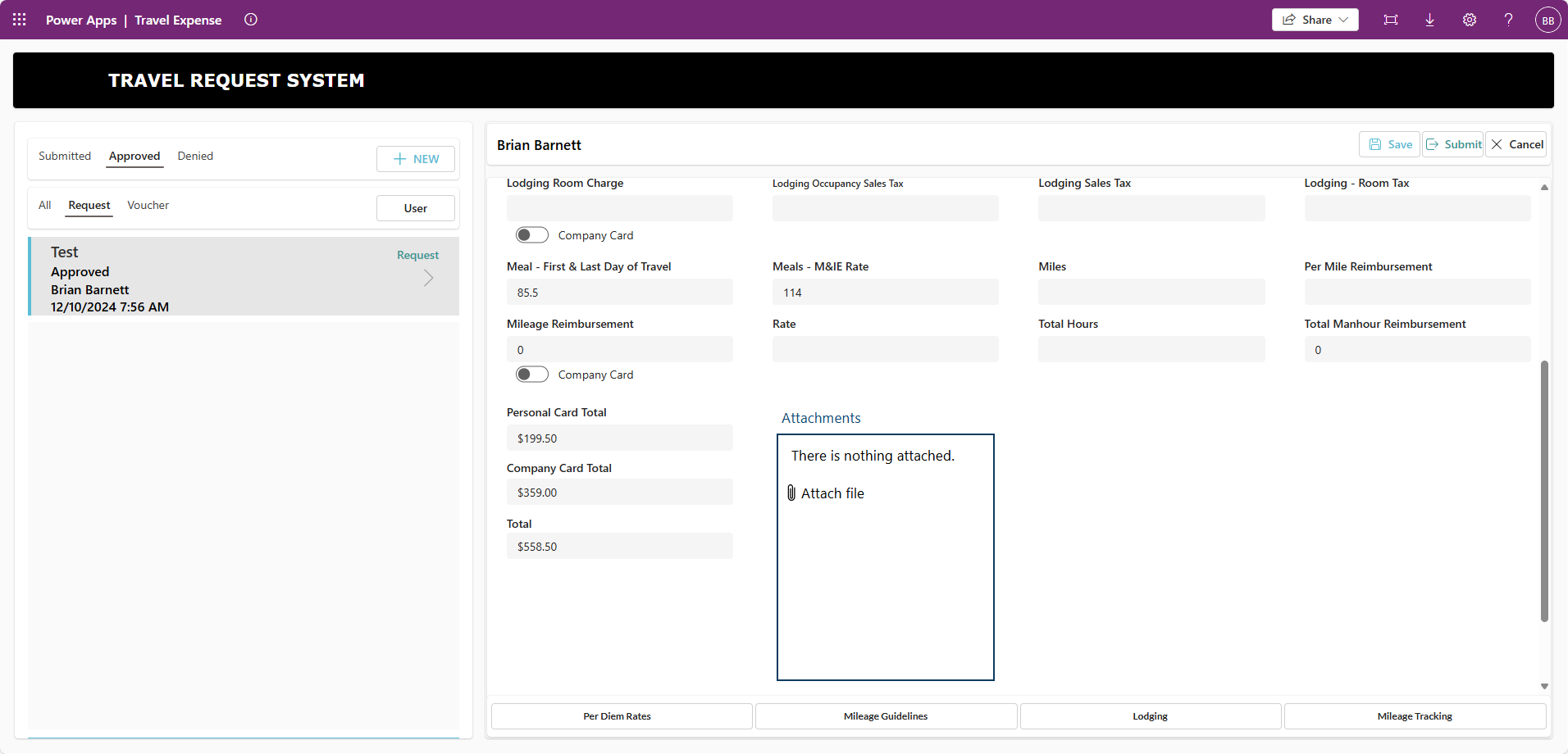
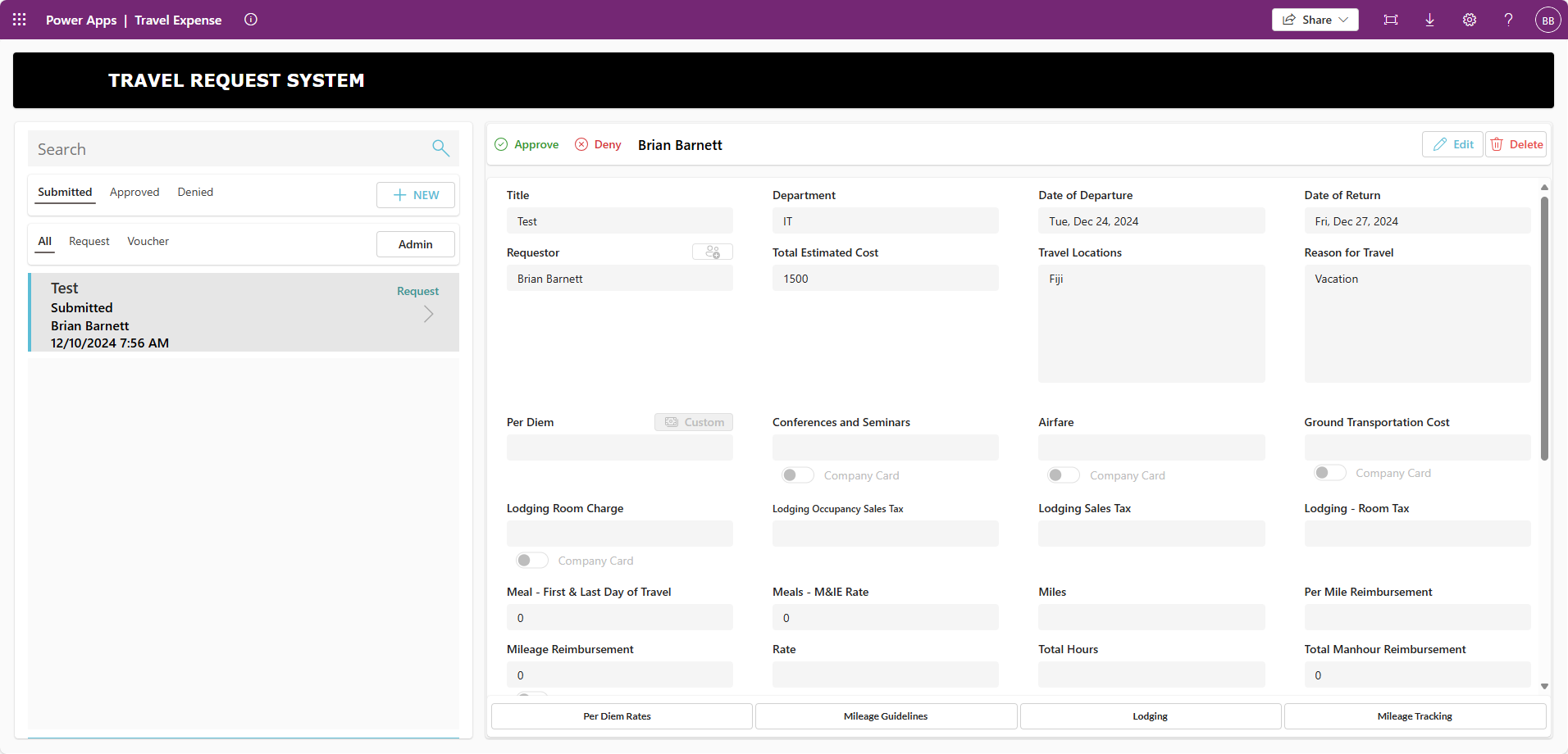
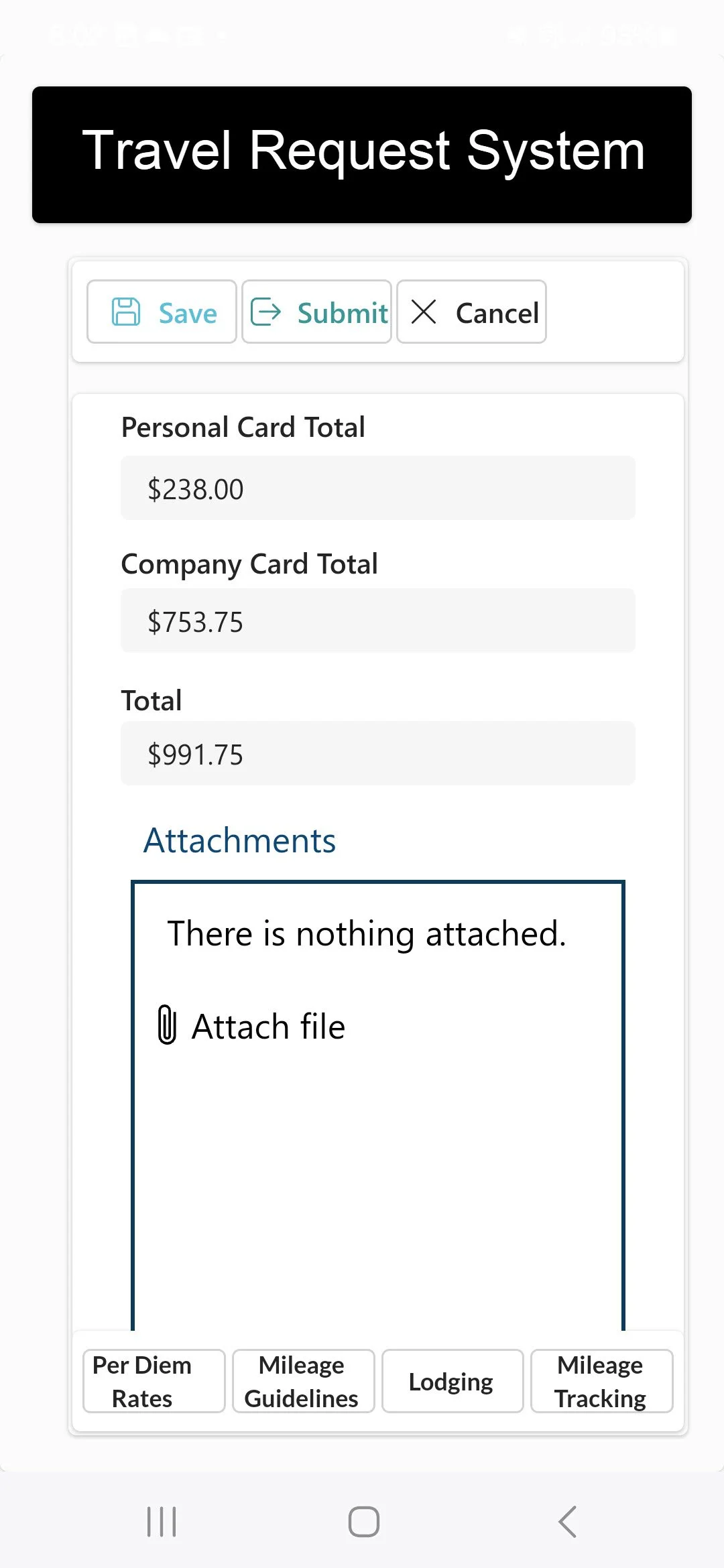
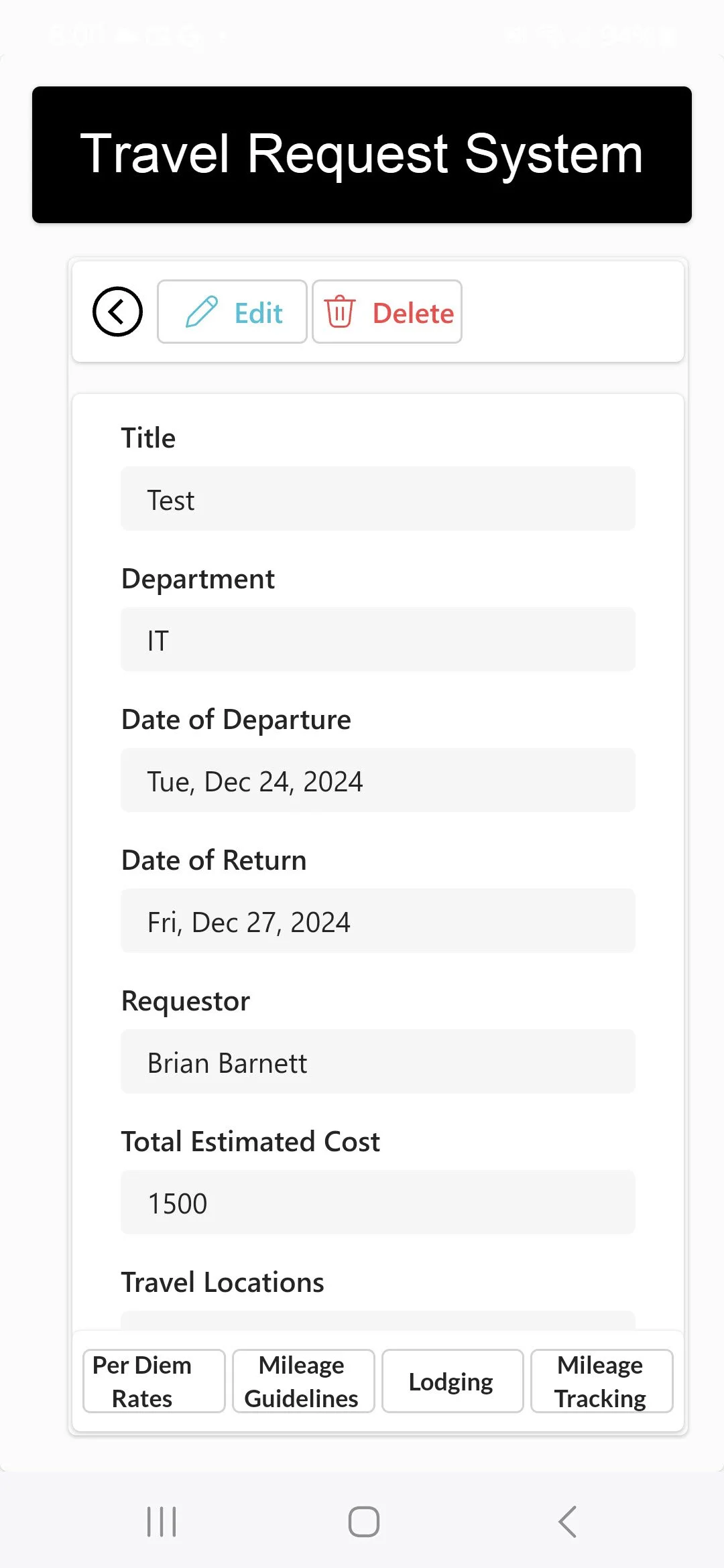
We designed and built a fully functional desktop and mobile application tailored to how the company actually handles travel and expense reporting. Instead of disconnected spreadsheets and emails, they now use one system to:
- Create new travel expense reports from a desktop or mobile device
- Add line-item expenses with required fields and categories
- Attach receipts and documentation directly to each report
- Submit reports into a structured approval workflow
- Track each report from Requested to Approved and Closed
The new application replaces their old process with a clean, role-based interface where travelers, managers, and admins are all working from the same source of truth.
HOW IT WORKS
From Requested to Approved and Closed
While the implementation is customized to their internal policies and government reporting requirements, the core workflow looks like this:
-
Create a new expense report
Employees start a report for a specific trip or assignment, capturing key details like project, dates, and purpose. -
Add expenses as they happen
During travel, users log expenses (lodging, meals, transportation, etc.) and attach digital receipts from their desktop or mobile device. -
Submit for review
Once ready, the report moves from Requested into the approval workflow, following the company’s review chain. -
Manager and compliance approval
Approvers can see all submitted reports, check supporting documentation, and approve or send back for clarification in a structured way. -
Closed and ready for reporting
Approved reports are marked as Closed, giving finance and operations a clear picture of what has been processed and what remains open.
At any point, the company can quickly see which reports are open, which are awaiting approval, and which have been fully processed — something that was nearly impossible with their previous email-and-Excel workflow.
BENEFITS
What the Company Has Now
- A real system of record: All travel expenses and reports live in one place.
- End-to-end visibility: Clear status from requested to approved and closed.
- Less manual chasing: Fewer emails and one-off spreadsheets to manage.
- Better compliance: A structured process that supports government reporting.
- Desktop and mobile access: Travelers can submit and track expenses on the go.
Instead of wrestling with outdated tools, the company now runs travel expense reporting through a purpose-built application that supports how they actually work — and scales with them as they grow.
NEXT STEPS
Need to Replace an Email-and-Excel Workflow?
If your expense reporting, approvals, or compliance processes are still running on spreadsheets and inboxes, we can help you build a system that’s trackable, auditable, and easy for your team to use.
We design custom applications that bring your workflows into a modern, consistent environment — on desktop and mobile — so you can focus on the work, not the paperwork.
Talk to us about your expense tracking issues